Data boxes
Manage your data boxes from one place. A user-friendly application that allows you to receive, send, and archive your messages. It also offers the option to set up access for multiple people with different permissions.
Why Docu-x for data box management?
Manage your data boxes from one place
Centralize the management of all company data boxes into a single system. No more switching between accounts or risking important messages going unread.
Extend your archiving
All incoming and outgoing messages are stored securely and without time limits (90 days by default). This means you can be sure that you can return to them at any time, even years later.
Set up who manages the data boxes
You can route important messages to the responsible persons for approval before sending. This gives you control over communication and reduces the risk of erroneous or unauthorized messages being sent.
Create a directory
The integrated directory of institutions and your own contacts speeds up work with data boxes. You can easily find the right recipient and minimize the risk of a message ending up in the wrong place.
Get context over messages
Messages are linked to related messages and documents in the system. This means you always have the entire context of the communication clearly laid out in one place, so you won't miss a thing.
We have experience with these systems





What does the solution for managing data boxes look like?

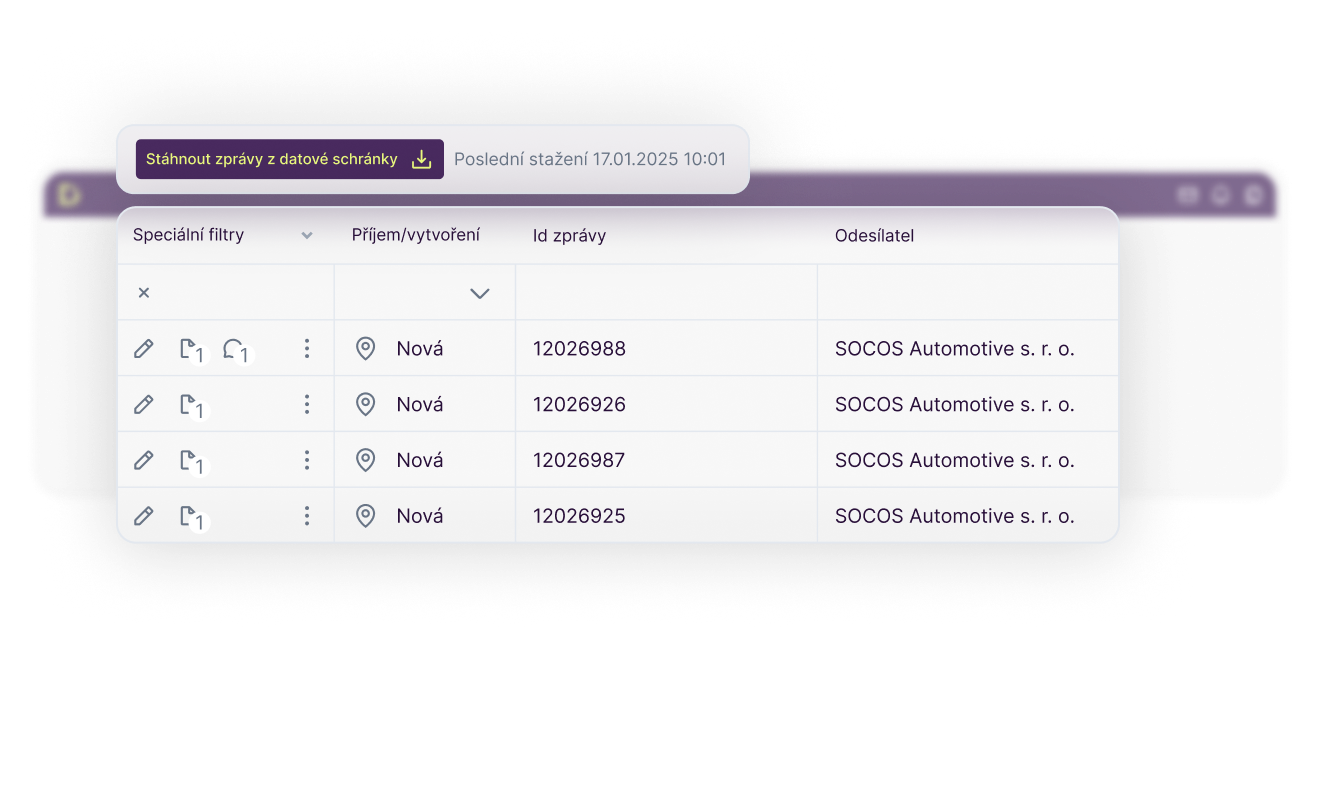
The system downloads all incoming messages and allows you to easily create new ones. This ensures that no important communication goes unnoticed, and sending messages is just a matter of a few clicks.


You can set up each outgoing data message to undergo internal approval before being sent. This gives you full control over official communications and reduces the risk of errors or unauthorized actions.


Each data message is displayed in context with related messages and documents. This allows you to see all the connections clearly in one place, without having to search for them.
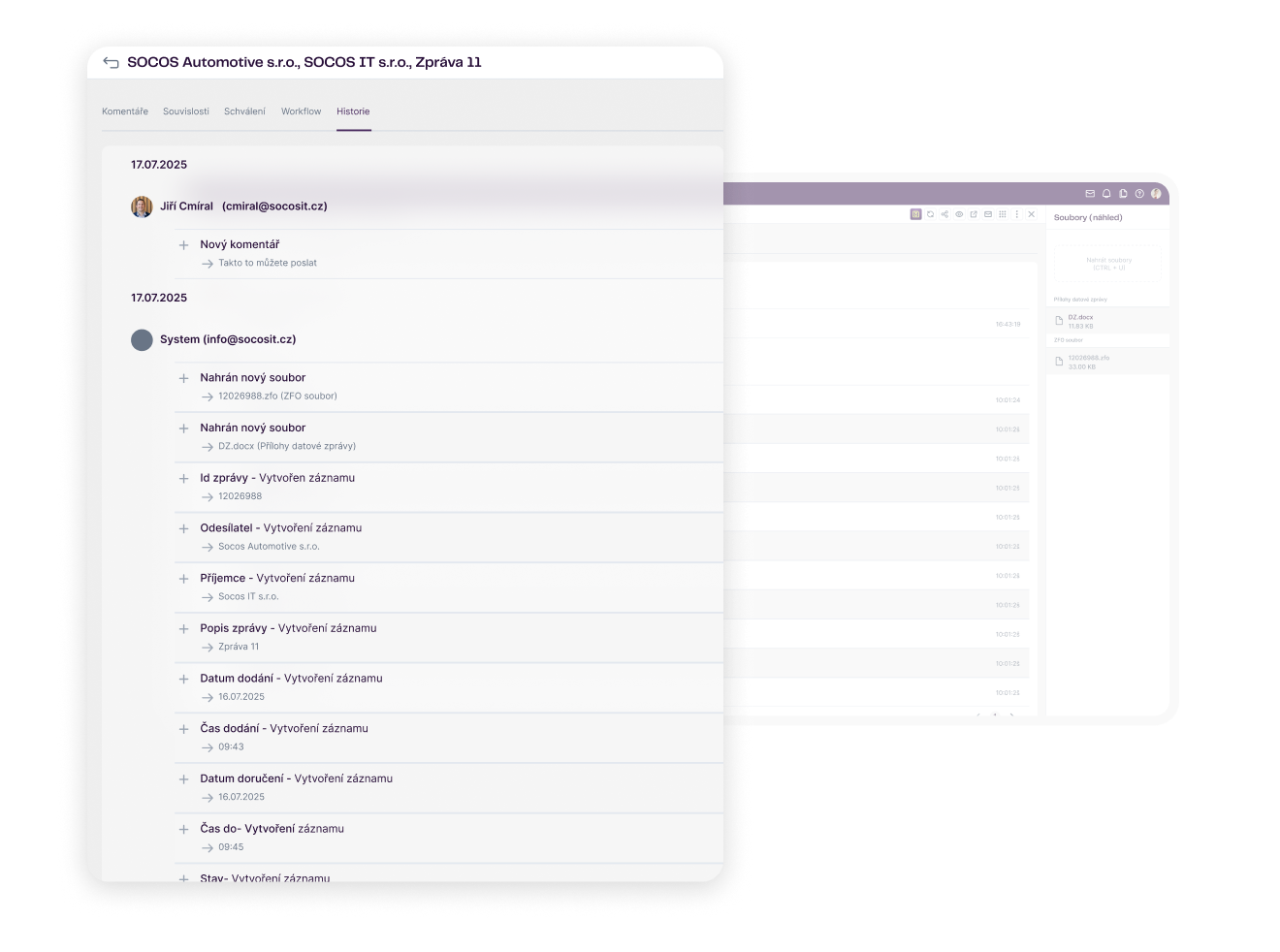

Each message is stored together with a delivery confirmation (ZFO), which is legally binding proof of delivery. This means you can be sure that even years later, you will be able to find not only the content, but also confirmation of receipt.
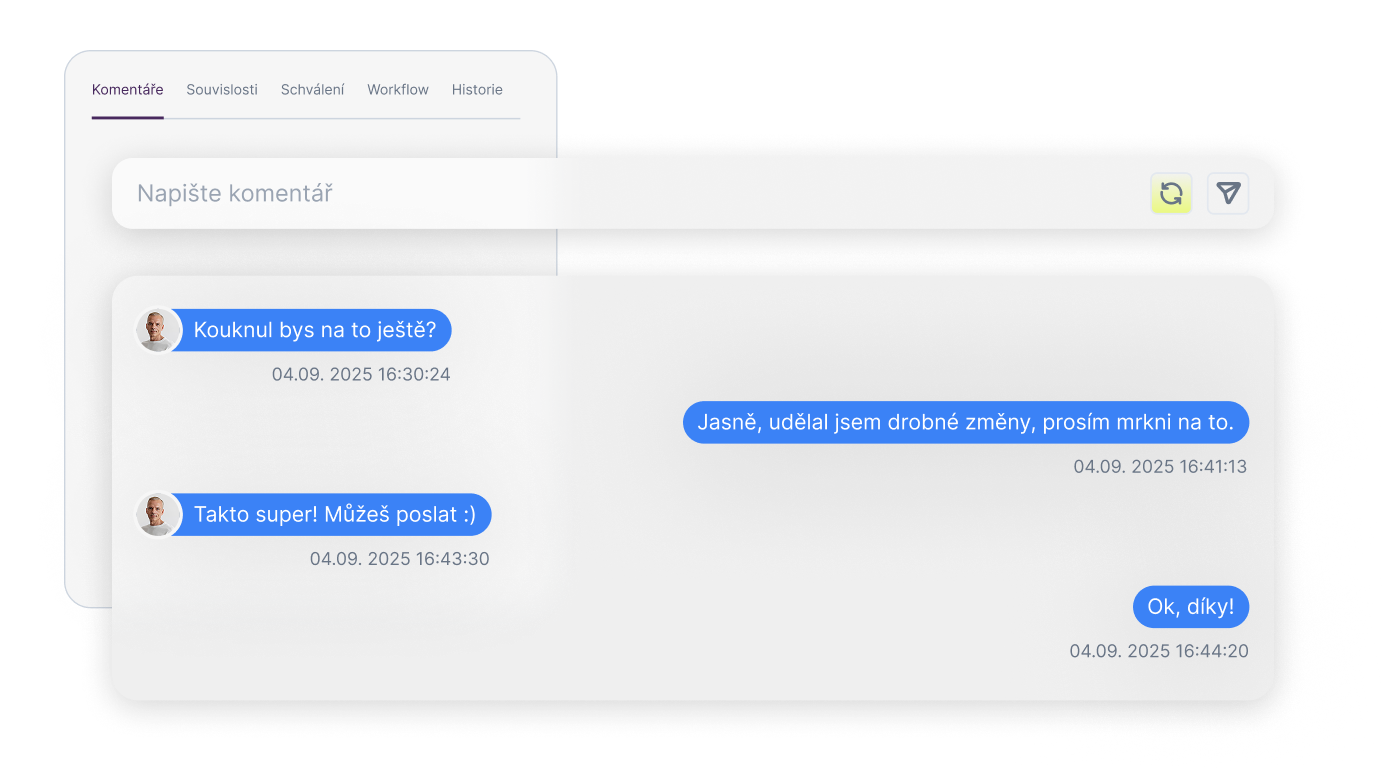

You can add internal comments to each data message that are only visible to your team. This facilitates collaboration, explains contexts, and provides a clear overview of information without the need for additional email communication.

For each message and user, a detailed history of all steps is available—from receipt to internal comments and approval. This gives you a complete audit trail and an overview of who worked on the document and when.
Who uses our document and process digitization solutions?



You are often interested in
How can centralized data box management help us?
Does the system allow you to manage multiple data boxes and different access levels?
How does automatic message download, sorting, and archiving work?
Is it possible to link data messages with other processes in the company?
Is it possible to switch from a packaged solution to a fully customized environment later on?